WooCommerce product designer
Let customers design it. Get print-ready files with every order.
Tee Studio Kit puts a fast, phone-friendly designer on your product pages, with your own logo, and drops 300 DPI artwork for each print area straight into the WooCommerce order. Built inside a working print shop, for print shops.
KIOSK Run the same designer on a touchscreen in your shop →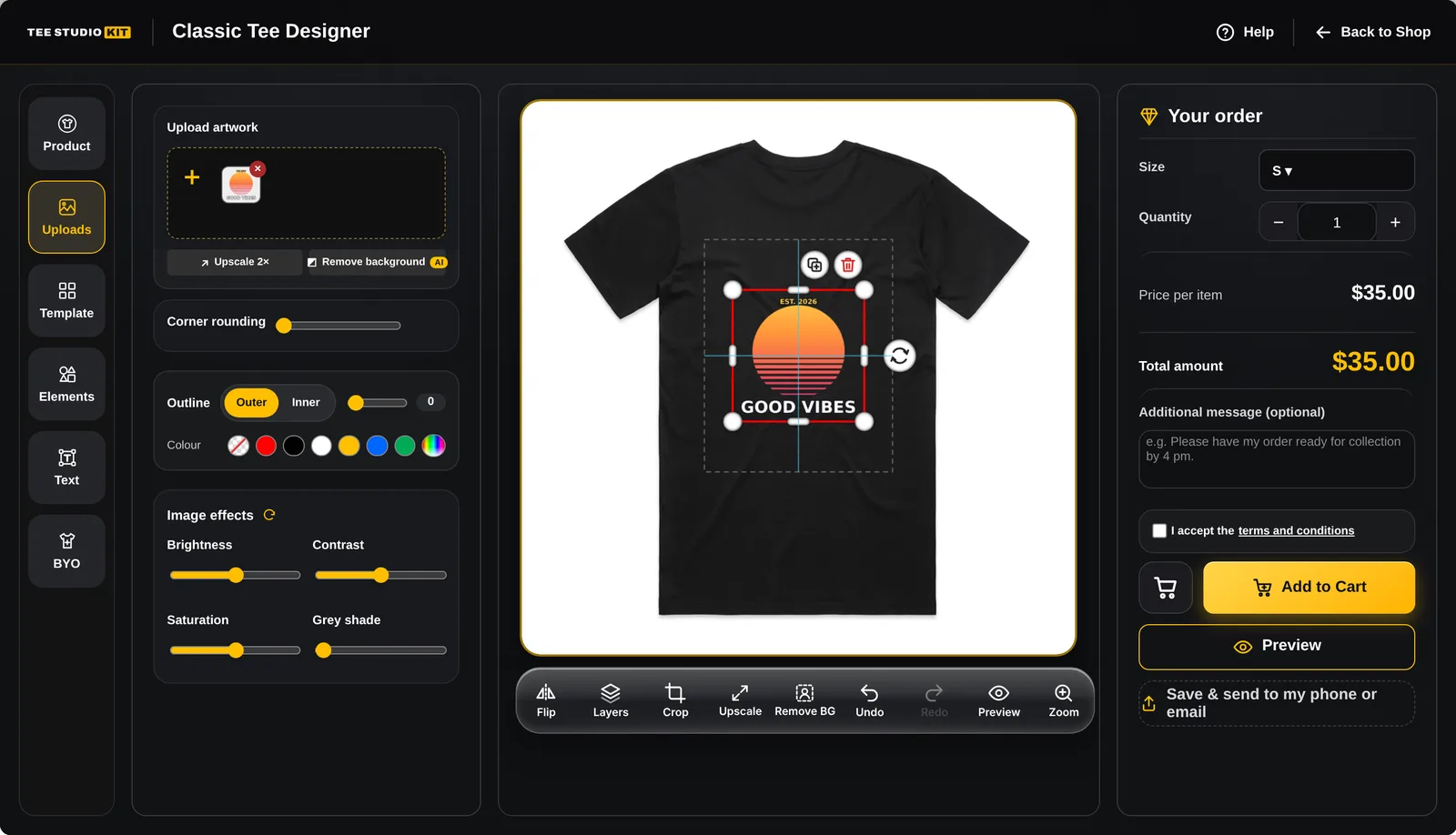
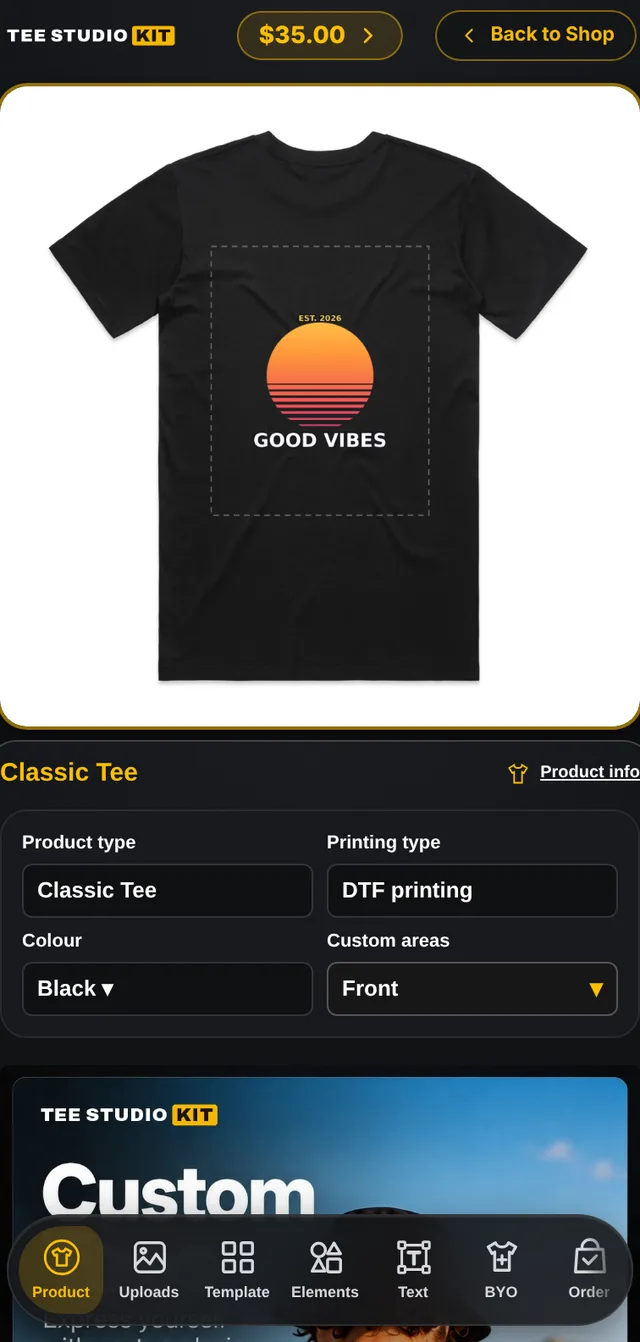
The customer designer
Everything a customer needs, nothing they have to learn.
Customers pick a product, colour and size, then add their own photos, text, shapes, templates or AI artwork. The price updates as they go, and they can see it on the mockup before they pay.
Job ticket · Order #4821
| front-print.png transparent, 300 DPI metadata | 254 × 305 mm |
| back-print.png | 254 × 305 mm |
| mockup-front.jpg · mockup-back.jpg | preview |
| customer-upload-01.jpg | original |
| design.json | re-editable |
| Options, sizes, customer note | on order line |
What lands in the order
No more “can you send a higher-res version?”
Every customised line in WooCommerce carries the files your press needs. The new-order email to your team attaches them too, so production can start without logging in.
- Print files at true size. One transparent PNG per print area, exported at the physical size you set in millimetres.
- Low-resolution warning. Optional per product: photos that would print under 150 DPI are flagged, red under 100, before the customer orders.
- Private by default. Artwork is stored as private files. Only staff, and customers on their own orders if you allow it, can download it.
Pricing engine and sales tools
Priced the way your shop actually quotes.
Surcharges
Charge for what costs you money
Add extra cost by setup, colour, size, option, print area and printing method (DTF, embroidery, sublimation, UV, laser). Negative extras work as discounts.
Catalogue
Sizes per colour
Each colour lists only the sizes you stock. Print areas and mockups are set per colour and per view, with custom-shaped areas from SVG outlines.
Checkout
Prices checked on the server
The cart total is recalculated by WordPress, so nobody can edit a price in their browser. Taxes, stock and shipping stay with WooCommerce.
Offers
Quantity and spend discounts
Turn on bulk breaks and spend thresholds per product, with an offers pop-up and an Add to Cart poster to promote them.
Recovery
Save & send my design
Customers save a design to their phone or email by QR code or link for 30 days, with an optional one-time reminder two days later if they haven't ordered.
AI tools
AI artwork with your own key
Image generation and prompt templates run on your OpenAI key, kept on the server. Background removal can use PhotoRoom. All optional and off until you connect them.
Kiosk mode · included in every plan
Turn a touchscreen into a self-serve design station.
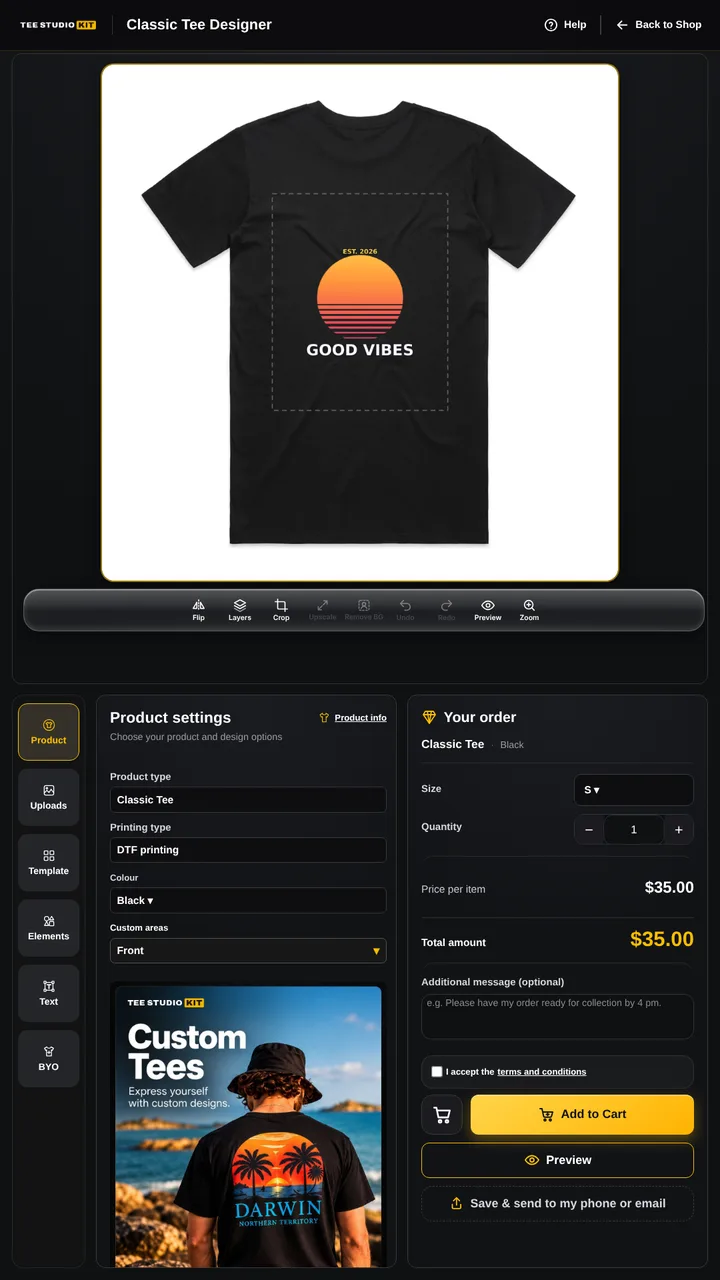
Stand a portrait screen at your counter, at a market stall or in a shopping centre. Customers design their own shirt while your staff keep printing, then pay on their own phone through your normal WooCommerce checkout. No card reader, no extra payment provider, no monthly kiosk software.
- Design at the kioskThe full designer in a large touch layout: mockup on top, tabs and order underneath.
- Scan to payA QR code hands the cart to the customer's phone. They pay with Apple Pay, card or whatever your checkout accepts.
- Kiosk resets itselfWhen the order is placed the screen clears for the next customer. Postage is hidden and in-store pickup is pre-selected.
For you, in wp-admin
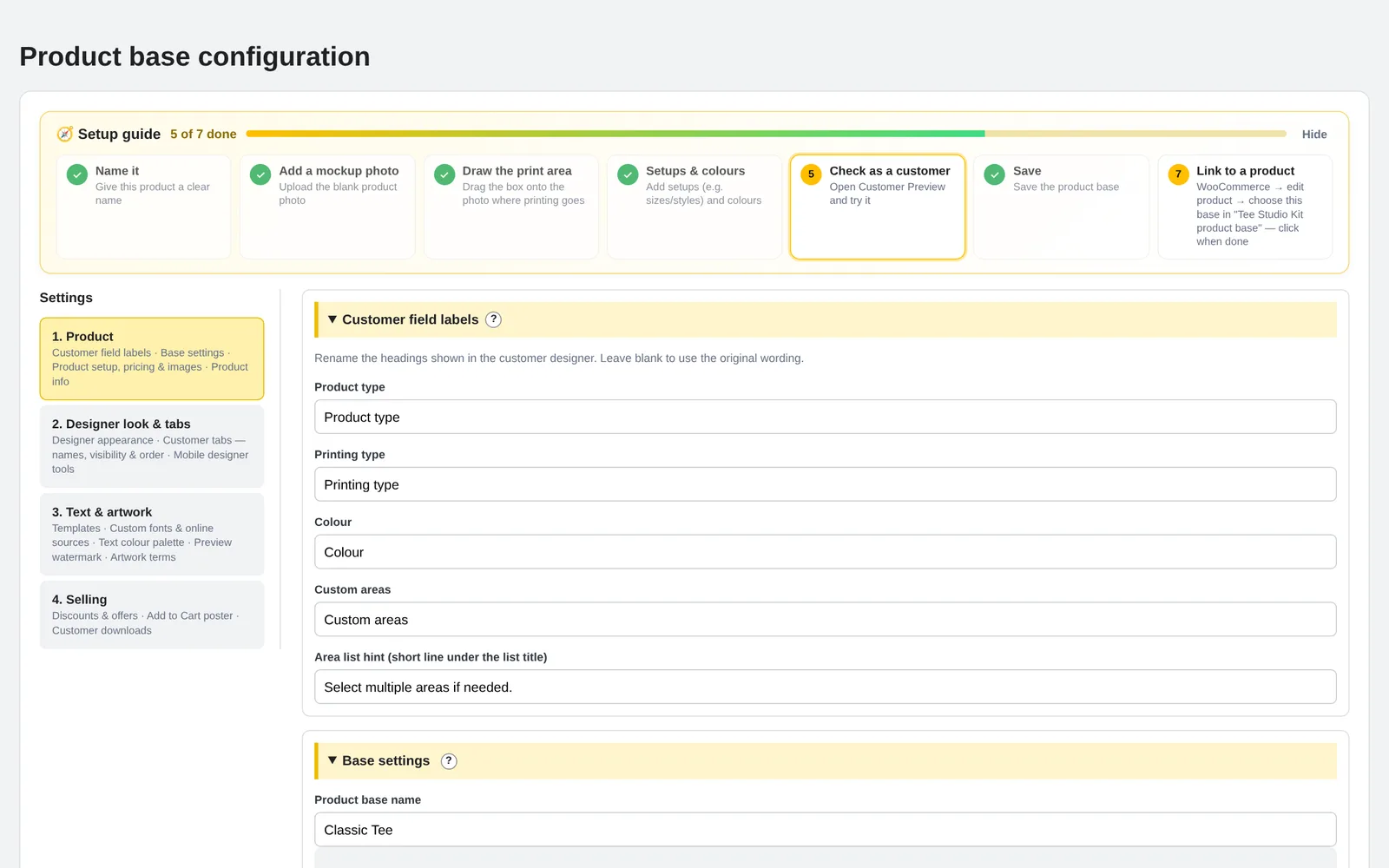
Set up a product in minutes.
A seven-step setup guide walks you from mockup photo to live product. Build a product base once, then link it to any simple WooCommerce product or drop it on a page with a shortcode.
- Your brand, not ours. Your logo in the designer header and your own names for every tab.
- Duplicate, export and import product bases to move them between sites or start new products fast.
- Show each tab on phone, desktop or kiosk, renamed and reordered per product.
- Live previews of the desktop and phone designer before you publish.
- Works with Elementor through
[tee_studio_kit product_id="123"].
Why Tee Studio Kit
A flat price. No cut of your sales.
Hosted customiser apps usually charge a monthly plan plus a fee on every customised sale. Tee Studio Kit runs on your own WordPress site for one flat subscription, so every sale stays yours.
| Tee Studio Kit | Typical hosted customiser | |
|---|---|---|
| Price | From $10 a month, flat | Monthly plan |
| Fee per customised order | None | Often a % or fixed fee |
| Where artwork is stored | Your own server | The vendor's servers |
| In-store kiosk with phone payment | Included | Rare |
| Your bases, orders and print files | Stay on your site | Live with the vendor |
Pricing
From $10 a month. Every feature.
One licence for one store, with every feature and kiosk mode included. Pay monthly, or pay yearly and save 20%.
- 1 website
- All features, including kiosk
- All updates while subscribed
- Email support
- No fees on your orders
Questions
Before you buy
Do I need an OpenAI account to use it?
No. The designer works fully without any API keys. AI image generation, ChatGPT prompts and AI background removal are optional. If you turn them on you add your own key and pay the provider directly; the key stays on your server.
How do I get help?
Email [email protected]. Include your website address and a screenshot of the problem, and we'll get back to you.
Is there a setup guide?
Yes. The user guide walks you through installing, setting up your first product, linking it to WooCommerce, print files and kiosk mode.
Does it work with my theme and Elementor?
The designer opens as its own full-screen page from the product, so it looks the same on any theme. To place it inside a page, use the shortcode in an Elementor Shortcode widget or a WordPress Shortcode block.
Does it work with variable products?
Link the designer to simple WooCommerce products. Colours, sizes, setups and options are handled by the designer itself, with their own prices. It does not track separate WooCommerce stock per variation.
What hosting do I need?
WordPress 6.4+, WooCommerce 8.0+, PHP 7.4+ and HTTPS. For large photo uploads we recommend post_max_size of 32M and memory_limit of 256M. Exclude the designer page from page caching and script minification.
What happens if I cancel?
Your plan stays active until the end of the period you paid for. After that, the customer designer pauses and updates and support stop. Your product bases, orders and print files always stay on your own site, and everything switches back on as soon as you renew.
Can I switch between monthly and yearly?
Yes. Switch from your account at any time. The change applies from your next billing date.
Can I use it on more than one website?
Each licence covers one website. For a second store, add another licence.
What if it isn't right for my shop?
If Tee Studio Kit has a problem on your site that we can't fix, email [email protected] within 7 days of purchase for a full refund. Install it on a staging copy first and place a test order to see the exact files you receive.
Ready when you are